Tabs and side-by-side panes
Open as many tabs as you need, then send any tab into split view from its right-click menu. Drag between the two panes to move files without a second window.
Version 1.0 for Apple Silicon
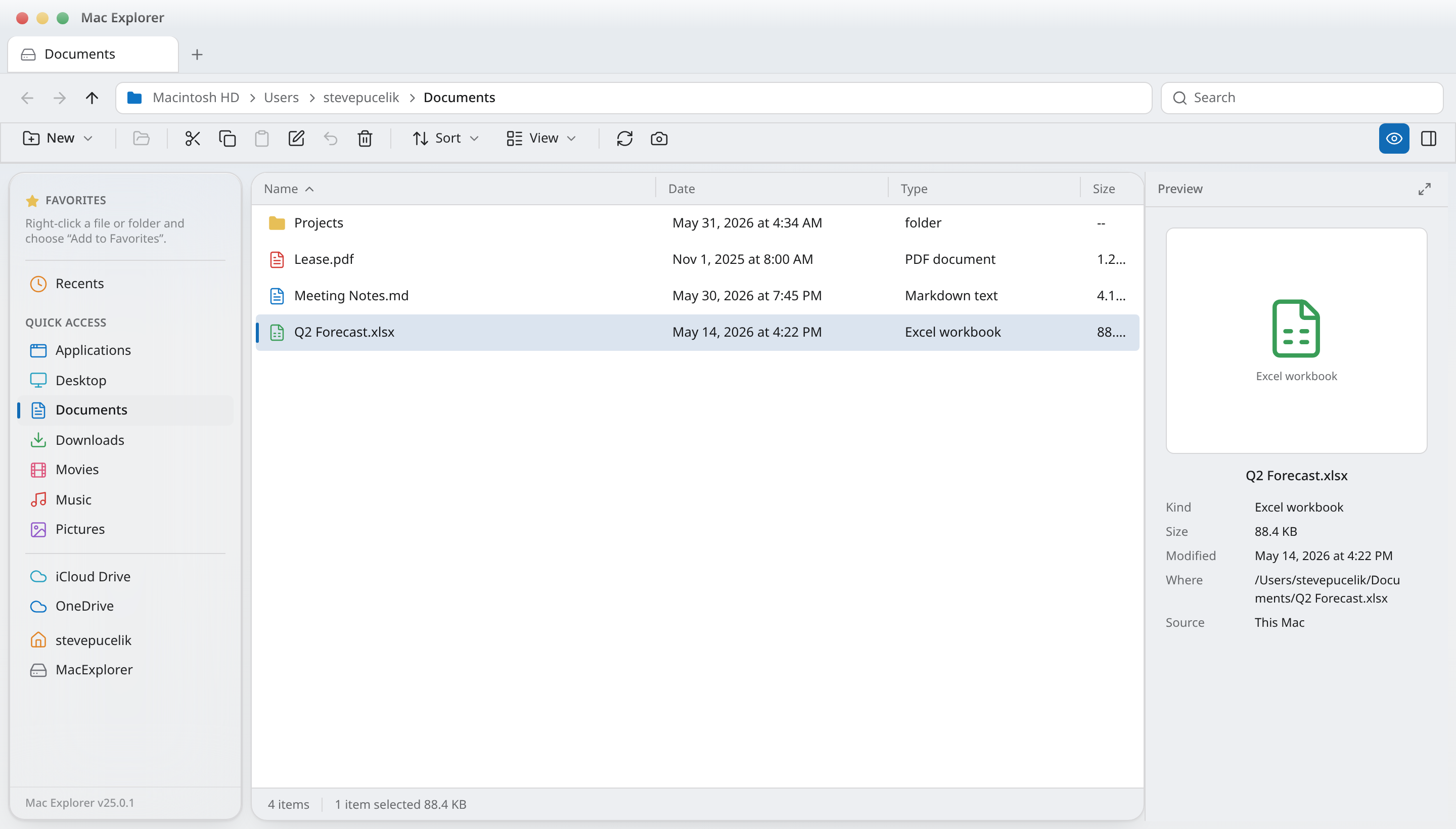
Mac Explorer puts a real path bar, cut & paste, tabs, dual panes and your work OneDrive in a single window — so files go where you want them without the Finder detour.
macOS 13 Ventura or later · Apple Silicon
Features
Built as a native macOS app around the file-management habits that Finder never picked up.
Open as many tabs as you need, then send any tab into split view from its right-click menu. Drag between the two panes to move files without a second window.
Details, compact list, large icons and real image thumbnails.
Status, tags, created, taken, dimensions, rating — right-click the header.
⌘X truly moves, files copied in other apps paste straight in.
⌘Z puts a misplaced folder back exactly where it came from.
Drag folders to the sidebar to pin, reorder, and drop files onto them.
Resizable Quick Look preview plus folder counts and total size.
Open folders watch the disk, so changes appear without refreshing.
Into other Mac apps, onto the sidebar, or between panes. Option to copy.
Share sheet, OneDrive links, Reveal in Finder, copy full paths.
Search the current folder and everything under it as you type.
⌘T, ⌘N, ⌘R, ⌘↑, ⌘[ and ⌘], F2, Delete — plus mouse thumb buttons.
Light and dark track macOS, right down to your accent colour.
Local volumes and your work OneDrive account sit in the same sidebar. Browse both, and copy across the boundary like any other folder.
Mac Explorer vs Finder
Finder is fine for browsing. Mac Explorer is built for moving things.
Editable path / address bar
Mac Explorer — Always visible, click to type a full path
Finder — Hidden behind ⌘⇧G
Cut & paste files
Mac Explorer — ⌘X then ⌘V moves the file
Finder — Copy then ⌘⌥V only
Side-by-side panes in one window
Mac Explorer — Split any tab into two live panes
Finder — Requires two windows
Tabs
Mac Explorer — ⌘T, per-tab history
Finder — Supported
Details columns everywhere
Mac Explorer — Sortable name, date, kind, size by default
Finder — Per-folder view settings
Choose your own columns
Mac Explorer — Status, tags, created, taken, dimensions, rating
Finder — Fixed set per view
Thumbnail and icon views
Mac Explorer — Details, list, large icons, thumbnails
Finder — Supported
Work OneDrive inline
Mac Explorer — Signed-in work account in the sidebar
Finder — Depends on the sync client
Transfer queue with progress
Mac Explorer — Transfers bar with live percentage
Finder — Per-copy sheets
Undo a move
Mac Explorer — ⌘Z restores the original location
Finder — Supported for local moves
Pin folders by dragging
Mac Explorer — Drag to the sidebar, reorder, drop files onto it
Finder — Drag to sidebar only
Live folder refresh
Mac Explorer — Watches open folders for on-disk changes
Finder — Usually updates
Mouse back / forward buttons
Mac Explorer — Thumb buttons navigate history
Finder — Not handled
Folder details panel
Mac Explorer — Item counts, total size, sort state
Finder — Get Info per item
A single signed app bundle. No subscription, no background agent, no account required — sign in to OneDrive only if you want your work files alongside your Mac.
Download MacExplorer.zipHow to install